Light appearance guide
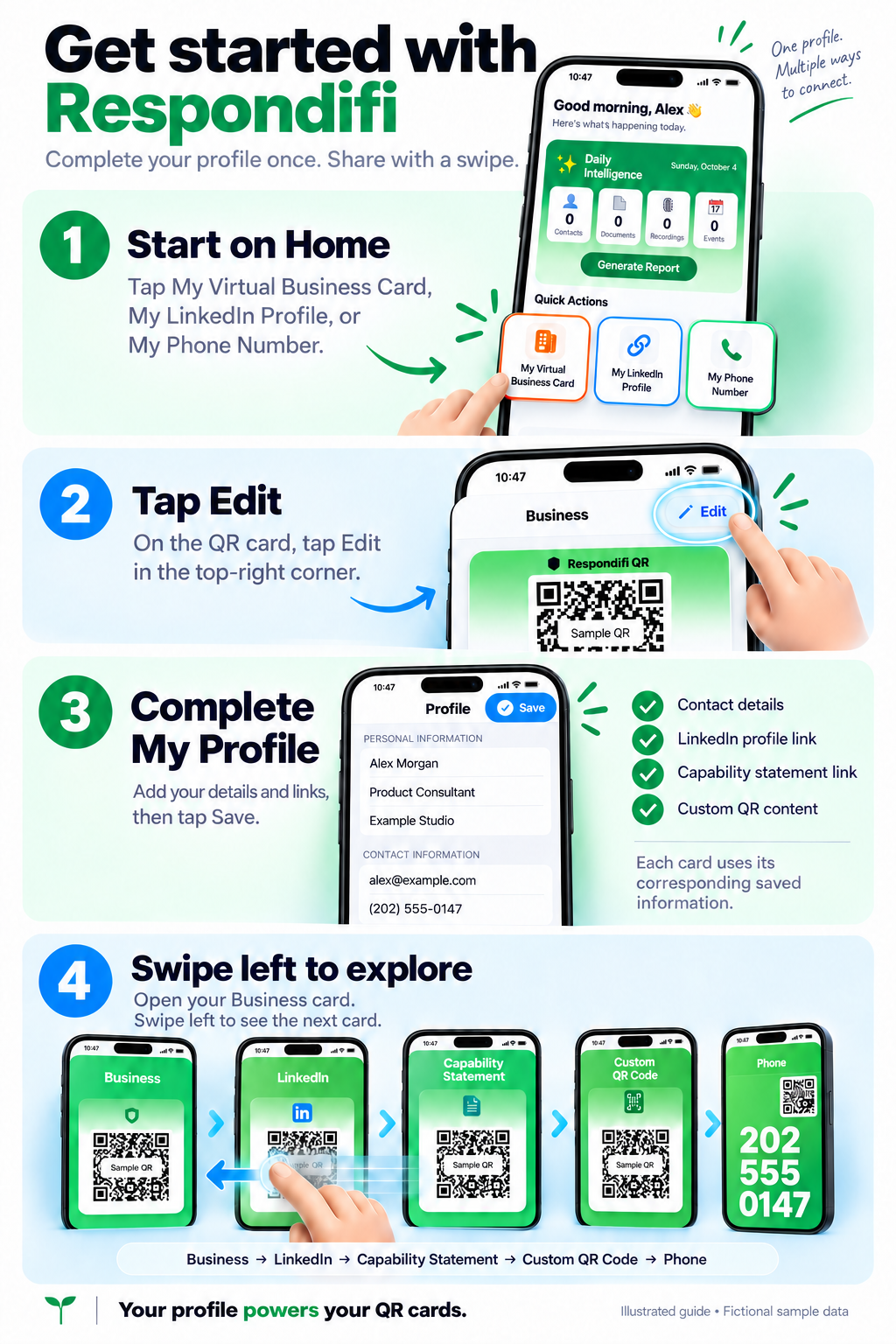
Follow these four steps to set up your profile and share your QR cards.
Step-by-step instructions
- Start on Home Tap My Virtual Business Card, My LinkedIn Profile, or My Phone Number to open the corresponding QR card.
- Tap Edit On the QR card, tap Edit in the top-right corner.
- Complete My Profile Enter your contact details and the corresponding information or links for the cards you want to share, then tap Save.
- Swipe left to explore Open your Business card and swipe left through Business, LinkedIn, Capability Statement, Custom QR Code, and Phone.
Each card uses its corresponding saved profile information.